Quickstart
Wrap a widget, change it, and go back.
Open a notebook
uv run --with marimo --with trrack-widget marimo edit quickstart.py
uv run --with jupyterlab --with trrack-widget jupyter lab
To add the package to a project, see Install.
Run it
Paste this into a cell and run it:
import anywidget
import traitlets

from trrack_widget import Trrackable

class Counter(anywidget.AnyWidget):
    _esm = """
    export default {
      render({ model, el }) {
        const button = document.createElement("button");
        const draw = () => (button.textContent = `count: ${model.get("count")}`);
        button.onclick = () => {
          model.set("count", model.get("count") + 1);
          model.save_changes();
        };
        model.on("change:count", draw);
        draw();
        el.append(button);
      },
    };
    """
    count = traitlets.Int(0).tag(sync=True)

Trrackable(Counter())
The widget appears under the cell.
Try it
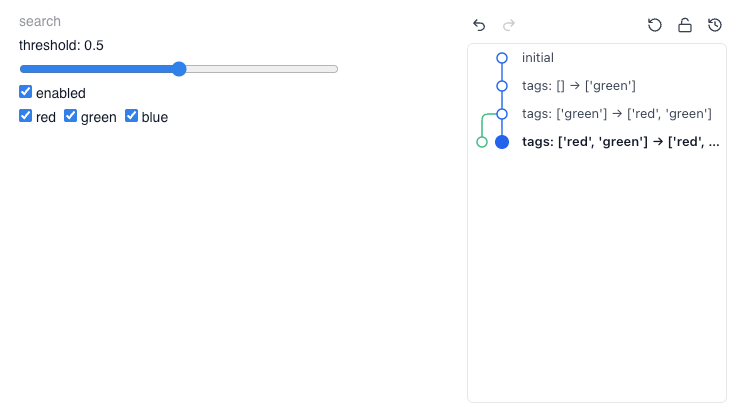
- Click the counter a few times.
- Click undo. The count goes back one step.
- Click the counter again. A new branch appears in the history graph.
The earlier branch stays in the graph. Click any node to jump to it.
Keep the state
Replace the last line with Persisted and a store:
from trrack_widget import JsonFileStore, Persisted

Persisted(Counter(), store=JsonFileStore("state.json"))
Click the counter, restart the kernel, and run the cell again. The count
comes back. The state is in state.json.
Next steps
- Persisted: save and restore a widget.
- Trrackable: record, undo, redo, and branch.
- Stores: choose where the state lives.
- How the history works: nodes, branches, and the current node.